
Lab Notes: Content Hub OS - 06.16.26
Meet Zenna: The AI Built Into Content Hub OS

Meet Zenna: The AI That Reads the Room
The Automator’s Log documents Content Hub OS as I use it: what’s inside, how it works, and what I’ve learned running it on my own brand before opening it to anyone else. If you’re new here, CHOS is an AI-powered content operating system built for operators who are done doing everything manually. These notes are the inside look.
The AI inside CHOS has a name. Zenna.
She shows up in two places, and the distinction matters.
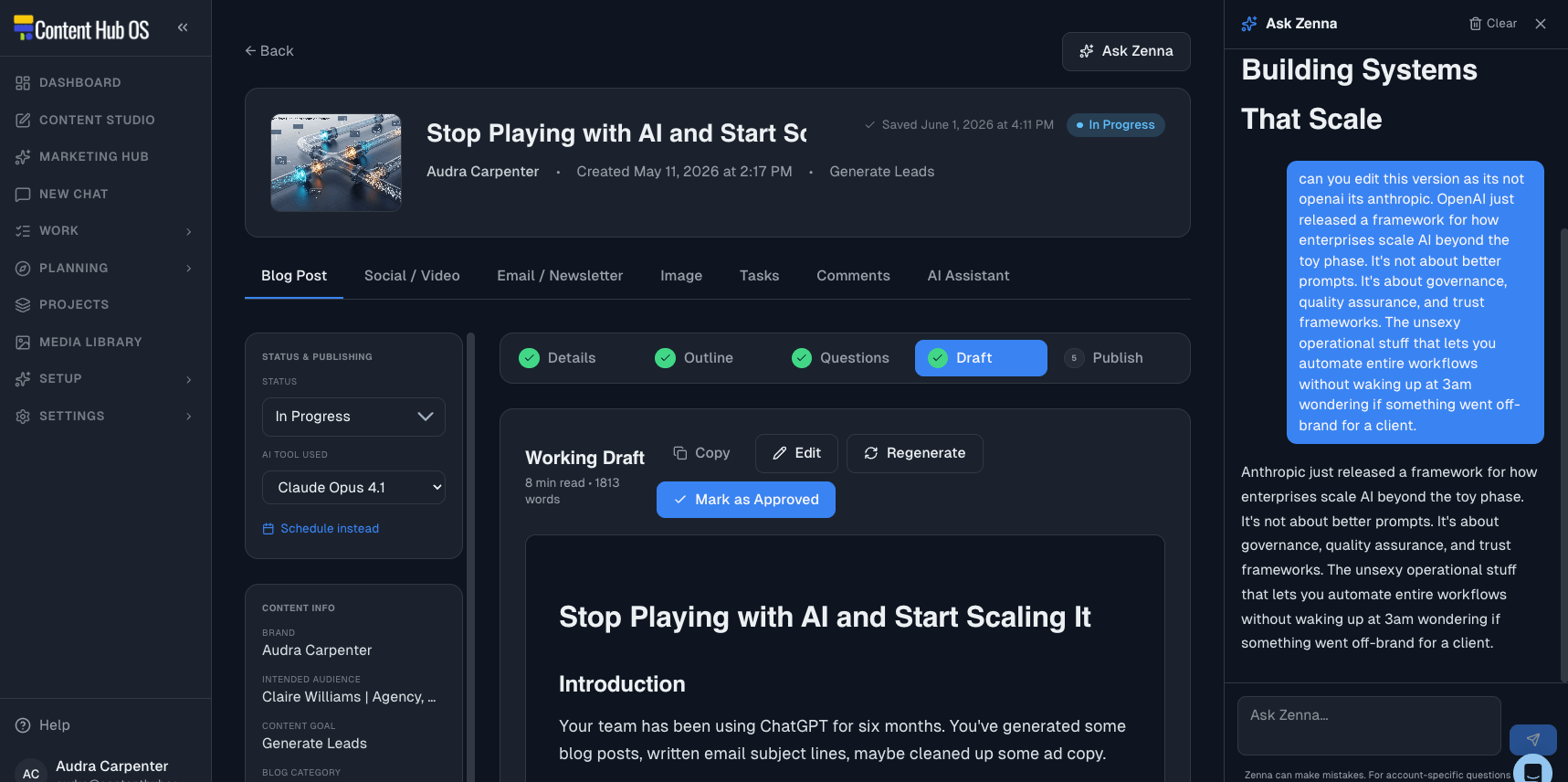
The first is on every content detail page. When you’re inside a specific piece — a blog post, a social note, a newsletter — Zenna can read the record. She knows what you’re working on, what stage it’s in, what brand it belongs to.
Ask her for feedback on the hook, a tighter version of a paragraph, a second angle on the headline. She’s not working from a description of the content. She’s looking at it.
The second is New Chat. This is for everything that isn’t tied to a specific piece. You want to think through a content direction for the next month. You need to pressure-test a positioning idea.
You have a question about your brand that doesn’t belong inside any one document. Select the brand, and Zenna already has the full profile loaded: style guides, content examples, audience personas, verticals. The conversation is brand-aware before you type a word.
Both versions solve the same underlying problem.
Every time you leave your workspace to open Claude or ChatGPT, re-establish your context, ask the question, copy the answer back, and return to what you were doing — that’s a switching cost. Small each time. It compounds.
Zenna stays in the workspace. The work stays in the workspace.
The Chat Library keeps every session so the conversation that helped you nail a positioning angle three weeks ago is still there when you need it again.
The more you can stay inside one application, the more the work actually flows.
~ Audra ✌️